With the release of Windows 10 build 9860 today, we are getting a closer look at some of the features we revealed earlier this week before the build went live. Even though this feature was not called out by Microsoft in their change log, it can be found in the Settings panel inside the Modern settings app.
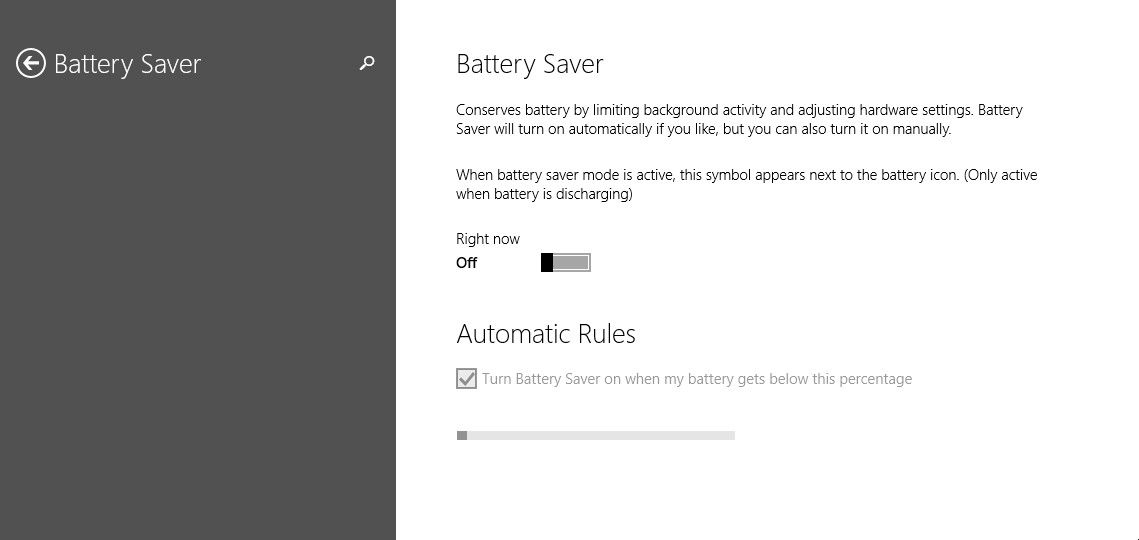
Battery Saver, as the name implies, will help your mobile device make the most out of your battery. This feature works by limiting the background activity on your device when the mode is activated. You can turn the feature on at anytime but there is also a setting to have it automatically turn on when there is a user-defined percentage left of the battery; e.g. turn on when there is 18% battery life left.
Even though we can see the feature, it looks like the ‘Automatic Rules’ is still not functional yet. We turned the feature on but the functionality is still grayed out. Look for this feature to get turned on in a later build.